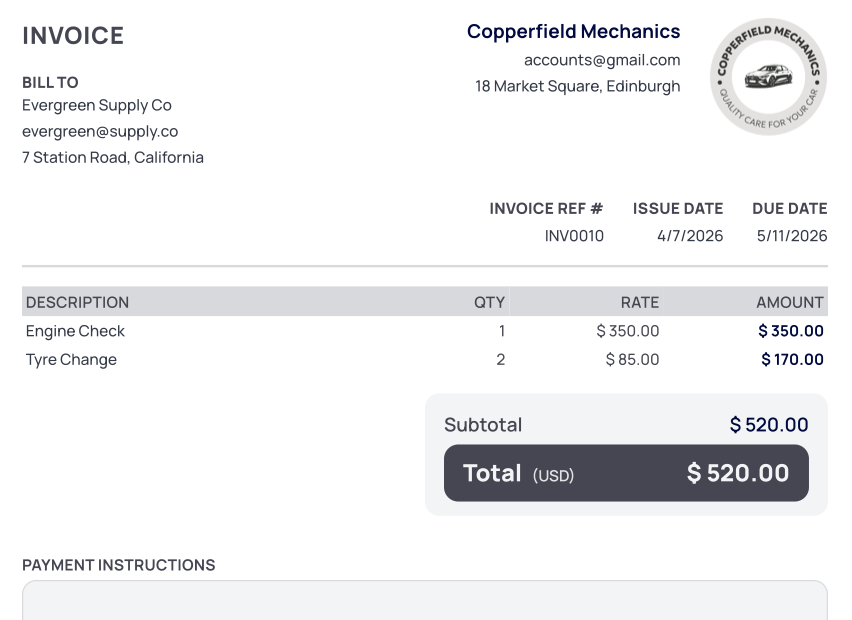
Simple invoice generator
Create & Send Invoices Fast
 Send Professional PDF InvoicesMultiple CurrenciesAutomatic Payment Reminder Emails
Trusted by 1200+ businesses
Send Professional PDF InvoicesMultiple CurrenciesAutomatic Payment Reminder EmailsFill in the details below, then send a PDF or email. Sign in when you’re ready.
Everything you need to know about TinyInvoice.app
TinyInvoice.app uses Google or Microsoft sign-in only to set up your account and keep things simple and secure. There is no separate password to remember.
We only save your name and email from the account you choose. We do not read your inbox, calendar, or files.
TinyInvoice.app supports USD (US Dollar), CAD (Canadian Dollar), GBP (British Pound Sterling), EUR (Euro), AUD (Australian Dollar), NZD (New Zealand Dollar), ARS (Argentine Peso), BRL (Brazilian Real), BTC (Bitcoin) and USDT (Tether).
No, TinyInvoice.app does not have a mobile app. TinyInvoice.app is a web app: you use it in your phone’s browser or on desktop. If you see a phone app with our name, it is not made by us—we are only at tinyinvoice.app.
You can create up to 30 invoices for free. After that, you can choose a subscription to keep creating and sending invoices without limits:
Prices are shown in your local currency where possible (e.g. US dollars). You can update your plan or cancel anytime from your account.
TinyInvoice.app is built and run by a solo developer. The subscription helps cover the cost of servers, domains, and tools needed to keep the site fast, secure, and available.
♥️ Thank you for supporting small, independent software.
Simply send me an email to [email protected]
TinyInvoice.app supports all tax systems because you can manually set your preferred tax name and tax percentage in your profile settings. This gives you flexibility to create invoices that match your local tax requirements.
No, a tax ID is optional on TinyInvoice.app.
You choose your tax rate and TinyInvoice.app automatically calculates the tax to add to your invoices. This helps reduce manual calculations and saves time when invoicing clients.
Yes, TinyInvoice.app keeps a copy of your invoices so you can access them later for accounting and tax purposes. Keeping invoice records can help simplify your tax obligations and business reporting. You can also delete invoices at any time if needed.
TinyInvoice.app allows you to optionally enable automatic follow up emails for overdue invoices. When enabled, reminder emails are automatically sent to your clients after the invoice due date, helping you follow up on payments professionally and save time.
Yes, TinyInvoice.app lets you download professional invoices as PDF files, making them easy to save, print, or share with clients.
Yes. Open an invoice and use View PDF to download it, then send it however you prefer (your own email, messaging app, and so on).
When you have delivered it, turn on Sent to client at the top of the invoice so TinyInvoice.app records that it was sent. The invoice will be locked for editing, similar to when you send through the app.
If you send the invoice with TinyInvoice.app’s email feature instead, that switch turns on automatically and shows when it was sent.
Yes, TinyInvoice.app allows you to send invoices directly to your clients by email, helping you manage invoicing and communication in one place.
Yes, TinyInvoice.app allows you to save your clients details, making it faster and easier to create invoices for repeat customers without entering the same information every time.
Yes, TinyInvoice.app allows you to upload your business logo to personalize your invoices. Adding a logo is completely optional.
Create and send professional invoices in seconds